To start… I really like HTVRont/LokLik brands; however, I am getting increasingly frustrated with the lack of information, tutorials, and guidance provided with the machines.
I recently received the iEngrave. COMPLETELY STOKED!!!
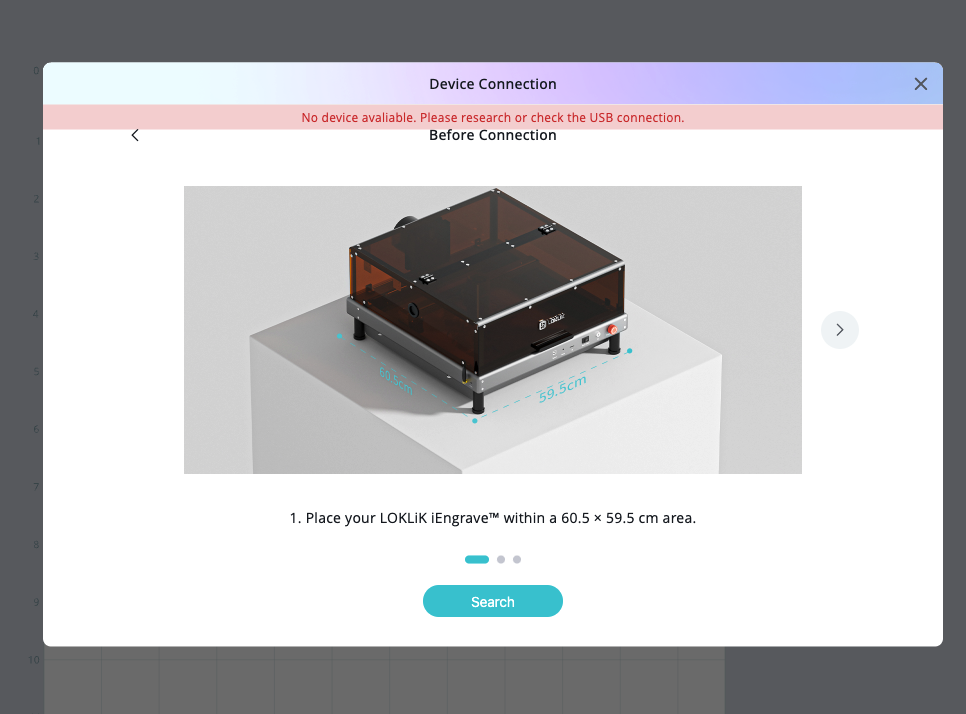
I have been able to use the IS app on my iPad. I can also plug the iEngrave into my HP laptop, and it works with IS right away. HOWEVER! On my Mac, I cannot get it to work with IS or Lightburn!!!
I have been through all the posts on here, looking and trying everything I have been reading. Nothing seems to be working.
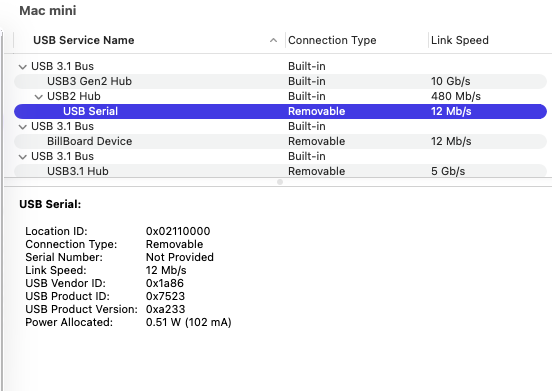
YES, my Mac shows it is connected when I go to the Systems Report and check the USB port.
I have installed, uninstalled, and reinstalled ALL the software that came with the machine, multiple times!
I have also tried different cables.
I do NOT get the option for Bluetooth connection.
I am just lost as to why it isn’t working on my Mac in IS or Lightburn.
Have you visited this link yet for your reference only - How to Install LOKLiK IdeaStudio – HTVRONT? If this doesn’t work out for you, I recommended to contact the support at Contact Us – HTVRONT.
@rinsky I don’t understand why you would share that… I just shared a screenshot that I have the IS installed, and that it won’t “see” the iEngrave.
Sorry, didn’t see your added screenshot while I’m typing my response to yah!
So, scratch that part. My next question is, when you are trying to connect your mac to your iEngrave using USB cable, did you leave the SD card inserted at your laser?
If none of that works, you’re not alone—and your post is exactly the kind of detailed troubleshooting that helps others feel seen. If you’re open to it, maybe tag HTVRont or LokLik directly and ask if they can provide a Mac-specific setup guide or driver update - given that your MAC mini met all the system requirements. You’ve already done the hard part by documenting everything so clearly.
@Stephani_Benjamin, You should have a bluetooth connection in your Mac mini! I found this link on how to get your Mac’s bluetooth to be visible: How to Set Up Bluetooth on a Mac Mini | It Still Works.
Hope it helps!
@Edz, My mini has Bluetooth… but it won’t connect to the iEngrave via Bluetooth. Thank you for that, though!
@rinsky , Sorry if I came off a certain way lol
@Loklik, would it be possible to provide a Mac-specific setup guide or driver update for those of us having the same issue that I have started this post about?